Ok, so I have thoughts.
Here are some things I’ve noticed while working on this song- idk if I’m just stupid and can’t figure it out, or if this is a universal issue for everyone:
I’m excited for this next chapter. Thank you to all the hardworking devs making this possible.
Copy and paste: It’s not a function. This makes structuring my song almost impossible because I can’t redo every single pitched pattern just to build a track. Super annoying.
Slope sounds weird: Sometimes I’ll use a slope instead of an EQ for ease, but in this draft, when trying to automate, I got this TERRIBLE high-pitched noise that rang in my ears. Awful.
No solo automations: In the last DAW, I was able to solo certain parts of the song in the centroid and then pick elements I wanted to highlight for my drops. I can’t do that in the new mixer :(
The automations: I hate that I have to switch between the pen tool and the mouse clicker to write automations. In the old DAW, it was just a double-click option. Maybe implementing a double-click to pull up the pen tool? Idk—cool feature, but it irks my workflow SO much.
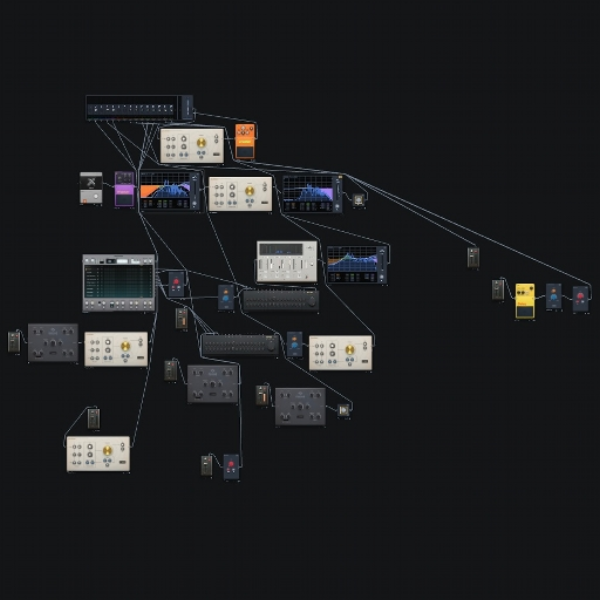
Mixer default pop-up: SO many times while trying to navigate, I’d close all my windows and be left with this MASSIVE mixer taking up the entire right side of my screen, to the point where I couldn’t use the DAW until I closed it out. I don’t like that.
Drag and drop: While scrolling through presets, you can drag and drop one into the DAW—unless it’s a different instrument. Let’s say I’m looking for a lead synth and drop a Pulv, then decide I don’t like it and want to try a Heisn. Instead of being able to drag and drop over it to load a new patch, it opens an entirely new instrument. I think that really distracts from my workflow.
yo i forgot to tell you if you want to brus notes in, press and hold the D key on your keyboard and lay the nnotes wherever youd like and it draws it in, after u release it goes back to the pointer
Jan 29
thanks for trying it out <3
Can i ask more detail about some points?
- "Copy and paste: It’s not a function." I know it's missing in some places still and we're adding it all back in bits. Copy/paste patterns is WIP. Where do you need it most?
- "I hate that I have to switch between the pen tool and the mouse clicker to write automations." That shouldn't happen. Does double click to create a point never work?
- "Mixer default pop-up" what's your expected behaviour when you close all panels?
Jan 29
the more i get over this learning curve the more i love the new DAW. cant thank yall enough for pointing out the copy paste option LMAO
Jan 27
i kept getting "oopsie daisy" trying to highlight the good aspects of the DAW so ill start a thread here:
While it’s easy to talk about all the negatives, the positives are worth mentioning too. WE HAVE PITCH CONTROL!!! We can use 808s and one-shots and stretch them to their desired length- how cool is that?! The new instruments and sample instruments sound amazing-genuinely so cool being able to play things like strings and piano in Audiotool.
Jan 29
There's so much more coming too! the website will also get a revamp too!
Jan 27
I also love the addition of the FX chain on the master, and how it’s visually represented in the DAW so I can tinker with it more intuitively. I’m excited for this next chapter. Thank you to all the hardworking devs making this possible.
Jan 27
never heard a snare more micro-er than this lol
Jan 27
thank u 🤭
Jan 27
Happy to say that most of those are actively being worked on or finished. Hopefully those issues will be fixed in the next release. Could you explain the Drag/Drop one a little more?
Jan 27
I was talking about a new possible feature for ease of control. Like, if I wanted to change a lead melody to a different instrument, i could drag that instrument ontop of the existing one to change it (in my example a pulv to a heis)
Jan 27
Hmm, it's working for me in the way you describe it. (Dragging a Heis preset from the list onto an existing Heis will change the parameters). Po9t mentions dropping a Heis preset onto a Pulv, which will not remove the existing Pulv, but keep both devices. The thing is, the old studio doesn't do that either, unless it's a behavior I'm not aware of.
Jan 27
right, so for the drag and drop they're saying in the old studio you can drag and drop a preset over an existing device in the studio and it will change that device's parametres, but in the new studio that isn't an option, and only places a new device on the desktop
frankly I didn't even know you could do it that way in the old studio until just now
Jan 27
for the notes being swung or with a weird groove, go to the three little dots next to a track, right next to the mute and solo buttons, click and go under "assign groove" and click "none" to get rid of the swung notes. things should play normally
Jan 27
": SO many times while trying to navigate, I’d close all my windows and be left with this MASSIVE mixer taking up the entire right side of my screen"
theres an option to disable that. on the very top right of the screen near the mixer button youll see a green switch. thats the "Auto Mode" switch that toggles the mixer. disable it and it should stop it from automatically opening the mixer
Jan 27
yeah i just noticed that myself too lol it turns on again after u close or reopen a project
Jan 27
it keeps turning itself on lmaooo. i think im doing something wrong tho
Jan 27
one shortcut i used is hold any note or highlighted section, hold control and you can move a duplicate of it anywhere
Jan 27
OHHHHHHHHHH THANK YOU!!! this was so frustrating last night trying to replicate everything
yo i forgot to tell you if you want to brus notes in, press and hold the D key on your keyboard and lay the nnotes wherever youd like and it draws it in, after u release it goes back to the pointer
thanks for trying it out <3 Can i ask more detail about some points? - "Copy and paste: It’s not a function." I know it's missing in some places still and we're adding it all back in bits. Copy/paste patterns is WIP. Where do you need it most? - "I hate that I have to switch between the pen tool and the mouse clicker to write automations." That shouldn't happen. Does double click to create a point never work? - "Mixer default pop-up" what's your expected behaviour when you close all panels?
the more i get over this learning curve the more i love the new DAW. cant thank yall enough for pointing out the copy paste option LMAO
i kept getting "oopsie daisy" trying to highlight the good aspects of the DAW so ill start a thread here: While it’s easy to talk about all the negatives, the positives are worth mentioning too. WE HAVE PITCH CONTROL!!! We can use 808s and one-shots and stretch them to their desired length- how cool is that?! The new instruments and sample instruments sound amazing-genuinely so cool being able to play things like strings and piano in Audiotool.
never heard a snare more micro-er than this lol
Happy to say that most of those are actively being worked on or finished. Hopefully those issues will be fixed in the next release. Could you explain the Drag/Drop one a little more?
for the notes being swung or with a weird groove, go to the three little dots next to a track, right next to the mute and solo buttons, click and go under "assign groove" and click "none" to get rid of the swung notes. things should play normally
": SO many times while trying to navigate, I’d close all my windows and be left with this MASSIVE mixer taking up the entire right side of my screen" theres an option to disable that. on the very top right of the screen near the mixer button youll see a green switch. thats the "Auto Mode" switch that toggles the mixer. disable it and it should stop it from automatically opening the mixer
one shortcut i used is hold any note or highlighted section, hold control and you can move a duplicate of it anywhere