Bassline
Bass synthesizer
Essentials
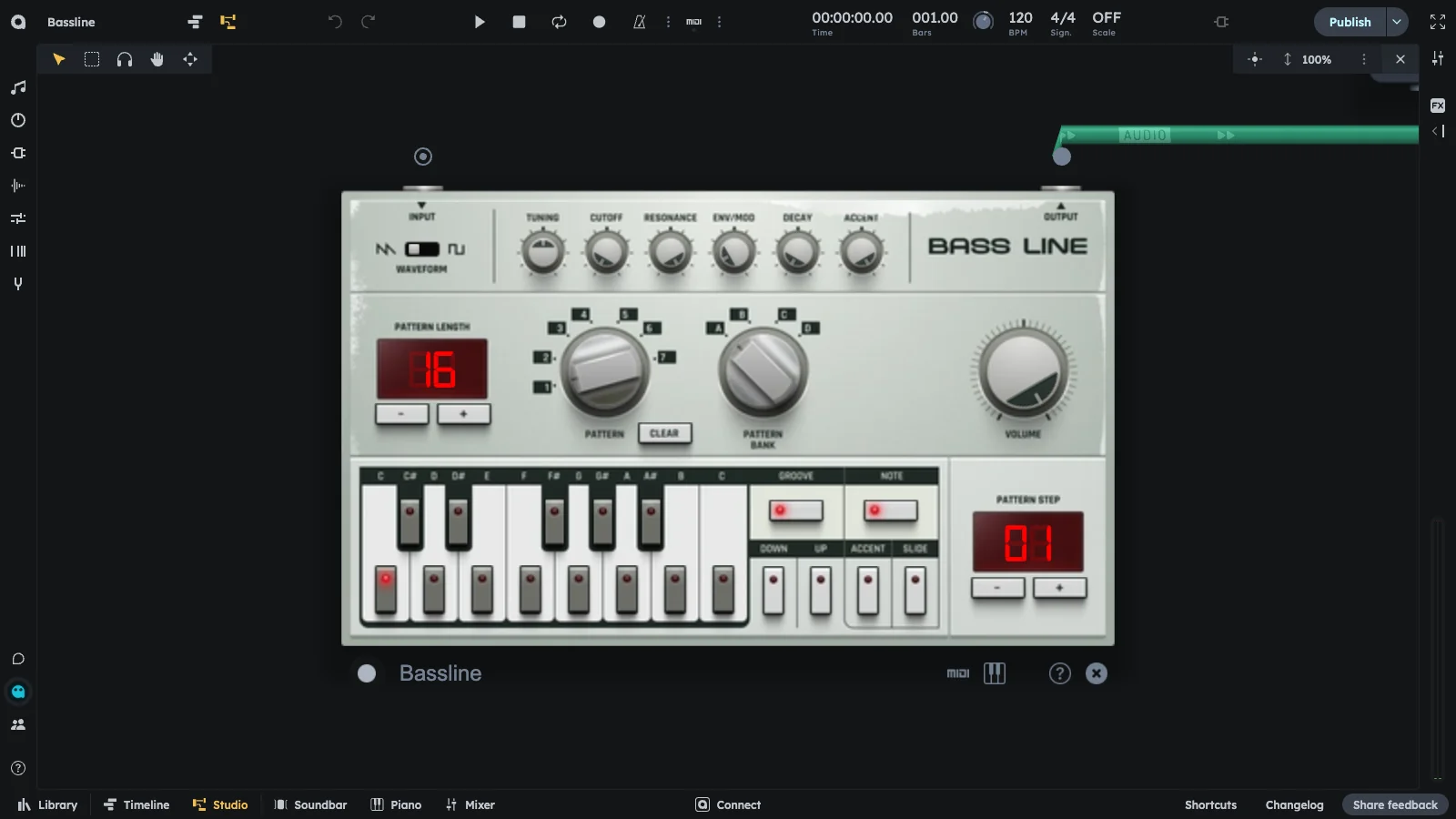
Bassline is a monophonic bass synthesizer with a built-in step sequencer. Single oscillator (Sawtooth or square wave) with a powerful filter and envelope modulation. Create squelchy, resonant basslines with Accent, Slide, and Groove for classic acid grooves.
- Monophonic bass synthesizer
- Built-in step sequencer (1-99 steps per pattern, 28 patterns total)
- Single oscillator (Sawtooth or square wave)
- Low-pass filter (220-12000 Hz) with envelope modulation
- External audio input support
- Microtuning support
Controls
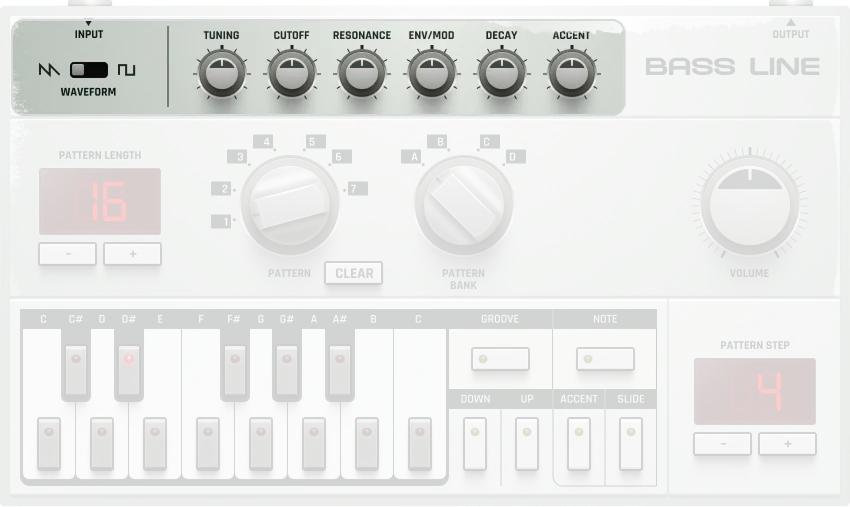
Sound shaping
The top panel controls the sound shaping parameters:
Patterns
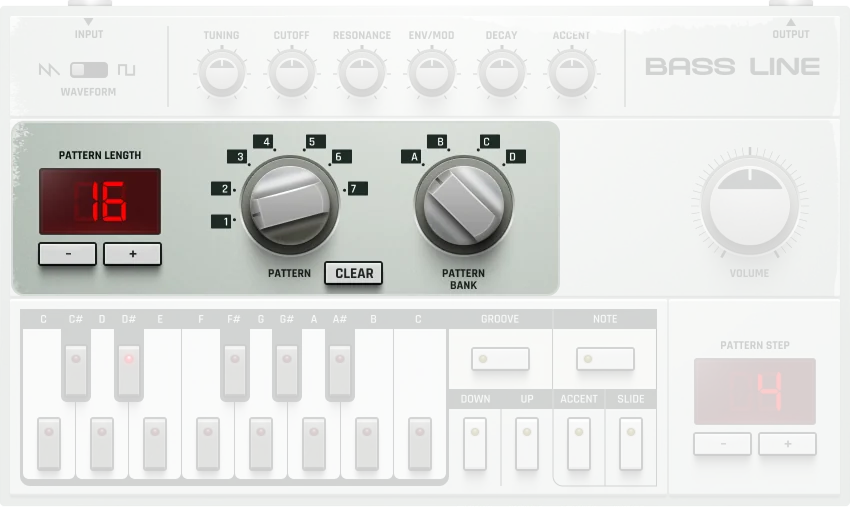
The middle area is where you can toggle through the device’s different internal patterns:
Step Sequencer
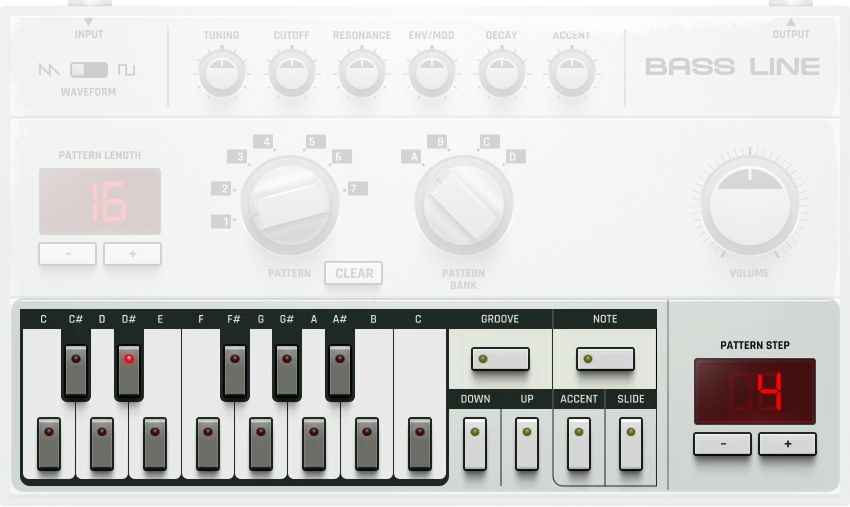
The bottom panel is where you program notes into the sequence:
Note Length: Slide
Bassline does not have a direct note length setting. Instead, it mimics the TB-303 style by using consecutive steps with Slide enabled to extend a note’s length.
How it works:
- A single active step = a short 1/16 note
- Consecutive steps with Slide and the same pitch = longer tied note
Examples:
- Steps 1 only (Note On) → 1/16 note
- Steps 1 & 2 (Slide on both, same pitch) → 1/8 note
- Steps 1 to 4 (Slide on all, same pitch) → 1/4 note
To create a 1/4 note:
- Activate Step 1 with Note On and set a pitch.
- Set Steps 2–4 to the same pitch and enable Slide.
- Keep Note On only for Step 1.
- The note will play continuously across all 4 steps.
This is exactly how the original TB-303 worked, using Slide to create legato (tied) notes across multiple steps.
Additional Features
Creating Patterns
Here’s how to create your first acid bassline pattern:
- Select pattern and bank: Choose a pattern (0–27, or 1–7 within each bank A–D) using the rotary selectors.
- Set pattern length: Use the Pattern length +/- buttons to set pattern length (1–99 steps).
- Navigate to step 1: Use the Previous/Next buttons to select step 1 (shown in the step index).
- Enter notes:
- Press the sequencer buttons to choose pitch for step 1.
- Enable Note On/Off to activate the note.
- Add expression:
- Add Accent for emphasis (volume and filter boost) using the Accent button.
- Adjust the Accent Wheel in the top panel to set accent strength.
- Add Slide for smooth pitch transitions.
- Repeat for all steps:
- Use Step +/- to move through steps.
- Enter notes, accents, and slides for each step.
- Play your pattern: Press Play in the transport bar.
- Automate the filter: Automate Cutoff and Resonance for classic acid “squelch” effects.
Practical Tips
Practical Tips
- Start with simple 8 or 16-step patterns, then add complexity with accents and slides.
- Use Cutoff + Resonance automation for the classic acid “squelch” effect.
- Route through reverb or bitcrusher for unique textures and character.
- Create fills and variations by switching patterns live during playback.
- Combine multiple Bassline machines with different patterns for complex arrangements.
- Use Slide creatively to create the smooth pitch transitions that define classic acid basslines.
- Hold Shift while adjusting pattern length to double or halve steps for quick variations (2→4, 16→32).
- Match the TB-303 workflow: keep Note On only for the first step, enable Slide on subsequent steps for longer notes.