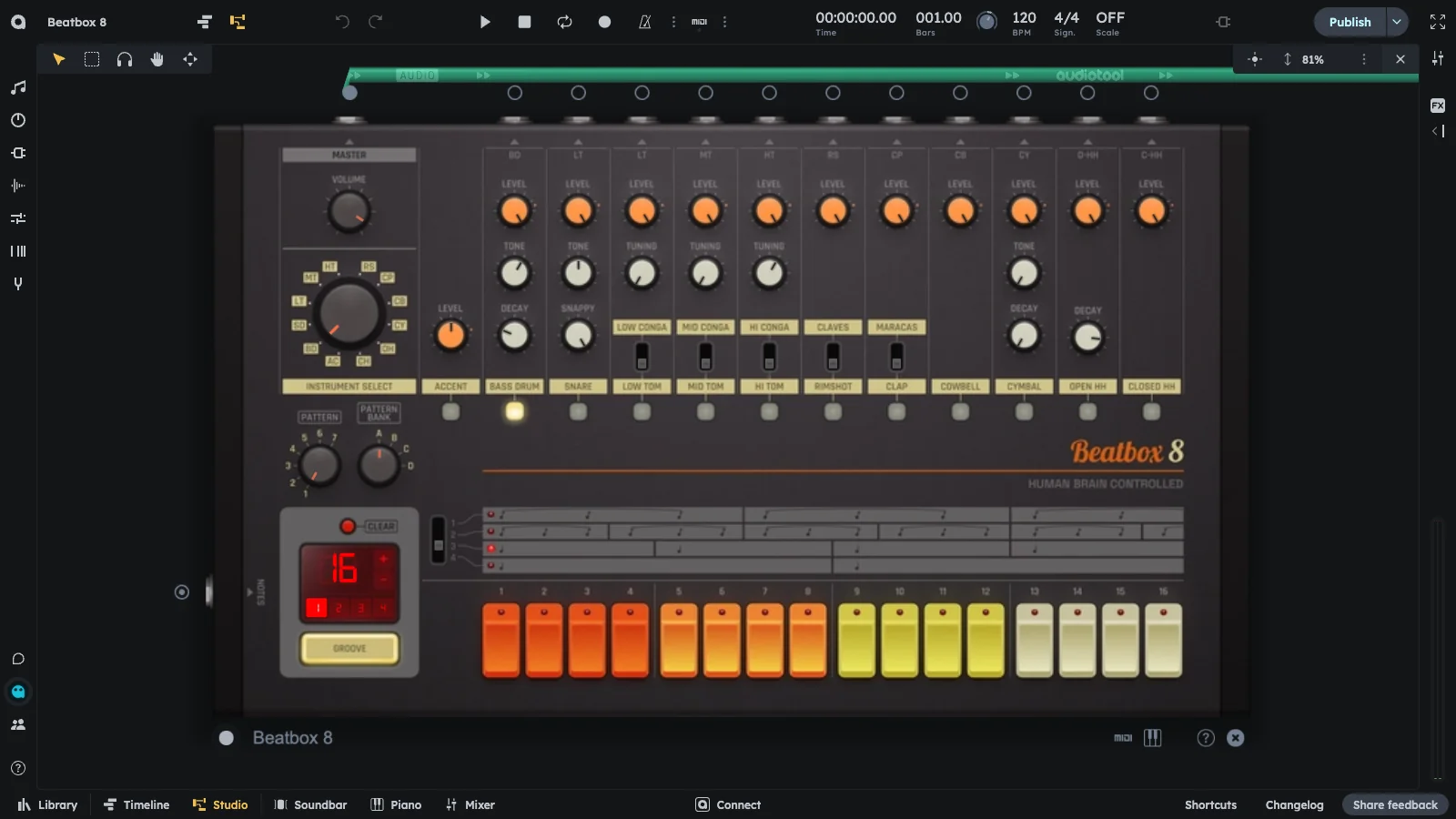
Beatbox 8 is a classic drum machine modeled after legendary hardware like the Roland TR-808. Fully loaded with warm, analog-style drum sounds and hands-on control over rhythm, tone, and groove.
16 built-in drum sounds
Step sequencer
Warm, analog-style sounds
Hands-on rhythm, tone, and groove control
Making a Beat
Beatbox 8 is a preset analog drum machine. It comes with 16 built-in drum sounds, so you don’t load samples. Instead, you shape and sequence the classic sounds using onboard controls and a simple step sequencer.
Select Sound: Use the Instrument Select knob to pick a sound (e.g. Bass Drum).
Place Kick: Press steps 1, 5, 9, 13 to place the kick in a 4/4 pattern.
Add Snare: Select Snare and place it on steps 5 and 13.
Add Hi-Hats: Select Hi-Hat and place it on every step for a consistent rhythm.
Play: Press play and enjoy your first beat!
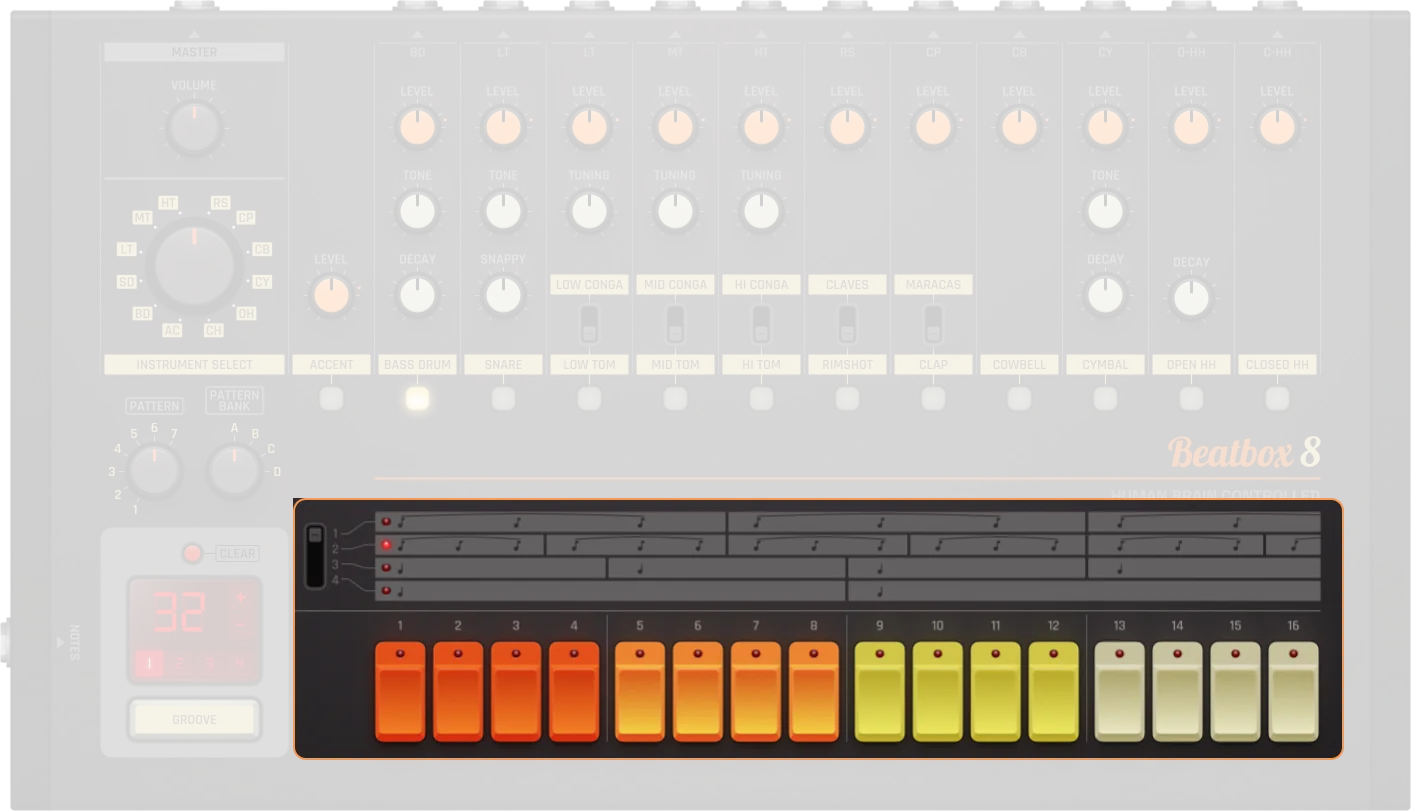
Pattern Editor
Pattern Editor
Control
Description
Scale
Allows definition of what scale you want to work in
Steps
These buttons are where hits can be added to the pattern
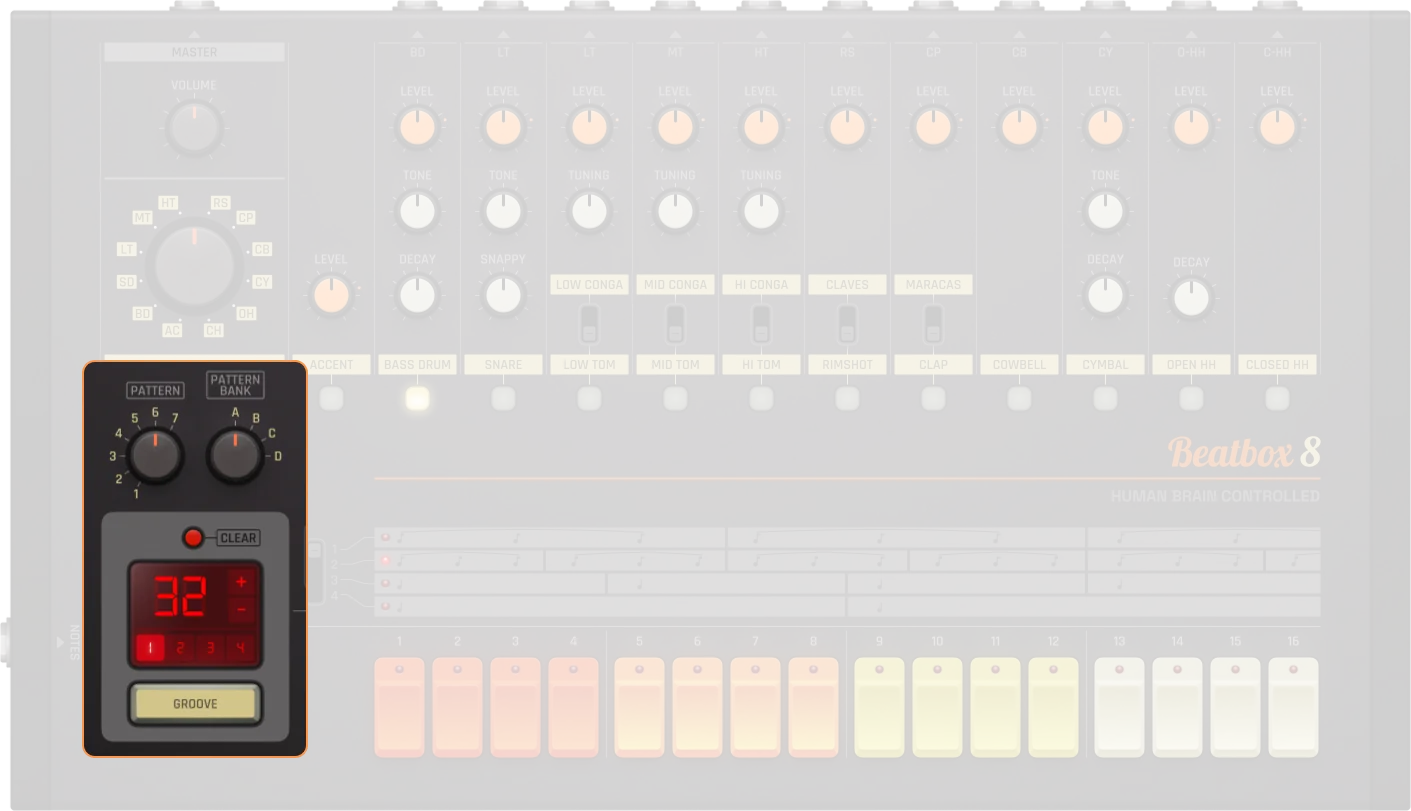
Pattern Management
Pattern Management
Control
Description
Pattern selector
8 patterns per bank
Pattern bank
4 banks (A-D), 32 patterns total. Determines which pattern the Beatbox 8 currently plays back, unless a pattern track is connected
Clear pattern
Deletes the currently selected pattern
Pattern length
Displays the length of your sequence
Pattern +/-
Allow for the length of your sequence to be increased or decreased (Hold Shift to double/half steps)
Groove
Using the groove option will shuffle your pattern by selecting keynotes and moving notes in-between
Edit range
The sequencer contains 16 step buttons but allows for sequences up to 64 steps long
Instruments
Instruments
Control
Description
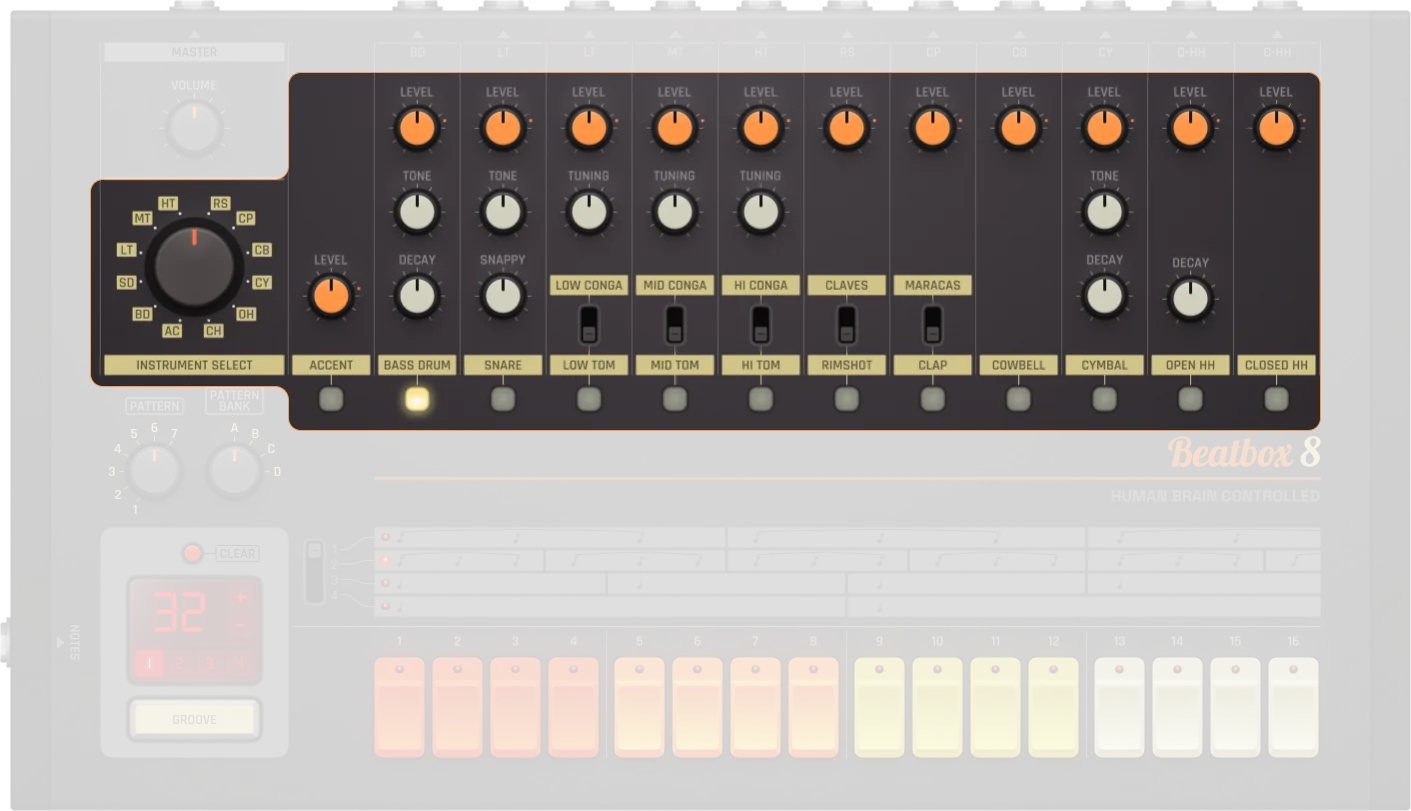
Instrument select
Large wheel to toggle sequentially through the device's different instruments
Instrument label
Displays which instrument is housed in each channel and doubles as a button to select instruments
Instrument switch
Instrument options:
Clap/Maracas: Handclap or Maracas
Rim/Claves: Rimshot or Claves
Level
Individual volume control for each instrument. Equivalent to a dB range of -∞ to 0 dB (0 to 100%)
Decay
Defines how much decay the selected instrument has (0 to 100%). 0% = shorter decay, 100% = longer decay
Tone
Changes the characteristics of the instrument (0 to 100%). 0% = lower tone, 100% = higher tone
Snappy
Allows definition of how much "snap" the snare has (0 to 100%). Controls the snare drum's attack character
Tuning
Allows for fine tuning (Hold Shift + Cmd for ultra fine tuning). Available for: Toms and Congas (low/mid/high variants)
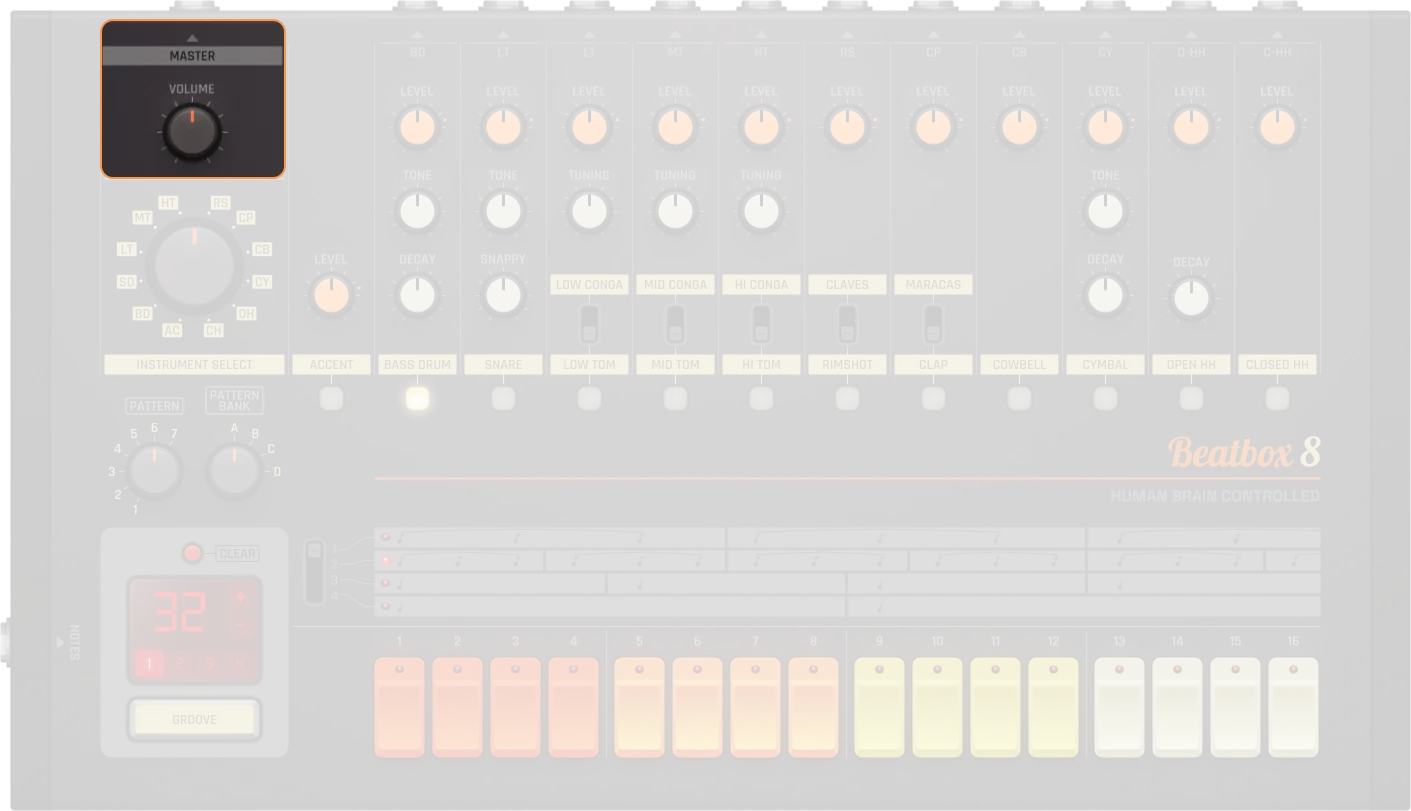
Master
Master
Control
Description
Volume
Master volume control (0 to 100%). Equivalent to a dB range of -∞ to 0 dB
On/Off
Activates or bypasses the device. When off, no audio is produced
Drum Sounds
Beatbox 8 includes 16 different instruments going through 11 channels, meaning that some instruments share channels with other instruments.
Accent
Accent
Control
Description
Accent
The accent feature allows for emphasis to be placed under selected steps in the sequence
Accent level
The strength of the accented steps can be defined by using the accent level control (0 to 100%). Controls the loudness of unaccented notes relative to accented ones. 0% = quieter unaccented notes, 100% = louder unaccented notes
Bass Drum
Bass Drum
Control
Description
Level
Bass drum output gain. Equivalent to a dB range of -∞ to 0 dB (0 to 100%)
Tone
Bass drum tone/pitch (0 to 100%). Higher values make it sound higher
Decay
Decay time for the bass drum (0 to 100%). Lower values create shorter decay, higher values create longer decay
Snare Drum
Snare Drum
Control
Description
Level
Snare drum output gain. Equivalent to a dB range of -∞ to 0 dB (0 to 100%)
Tone
Snare drum tone/pitch (0 to 100%). Higher values make it sound higher
Snappy
Snare snappiness, corresponding roughly to the amount of high-frequency content (0 to 100%). Controls the snare drum's attack character
Toms & Congas (Low/Mid/High)
Toms & Congas (Low/Mid/High)
Control
Description
Level
Output gain. Equivalent to a dB range of -∞ to 0 dB (0 to 100%)
Tuning
Tuning/Pitch (0 to 100%). Higher values make it sound higher. Fine tuning available (Hold Shift + Cmd for ultra fine tuning)
Rimshot & Claves
Rimshot & Claves
Control
Description
Level
Output gain. Equivalent to a dB range of -∞ to 0 dB (0 to 100%)
Instrument switch
Switch between Rimshot or Claves
Clap & Maracas
Clap & Maracas
Control
Description
Level
Output gain. Equivalent to a dB range of -∞ to 0 dB (0 to 100%)
Instrument switch
Switch between Clap or Maracas
Cowbell
Cowbell
Control
Description
Level
Cowbell output gain. Equivalent to a dB range of -∞ to 0 dB (0 to 100%)
Cymbal
Cymbal
Control
Description
Level
Cymbal output gain. Equivalent to a dB range of -∞ to 0 dB (0 to 100%)
Tone
Cymbal tone/pitch (0 to 100%). Higher values make it sound higher
Decay
Decay time for the cymbal (0 to 100%). Lower values create shorter decay, higher values create longer decay
Open Hi-Hat
Open Hi-Hat
Control
Description
Level
Open hi-hat output gain. Equivalent to a dB range of -∞ to 0 dB (0 to 100%)
Decay
Decay time for the open hi-hat (0 to 100%). Lower values create shorter decay, higher values create longer decay
Closed Hi-Hat
Closed Hi-Hat
Control
Description
Level
Closed hi-hat output gain. Equivalent to a dB range of -∞ to 0 dB (0 to 100%)
Practical Tips
Practical Tips
Use different pattern banks for song sections
Add accent for groove and variation
Extend patterns for fills and variation
Adjust decay for tight or open cymbals/hats
Combine with effects for advanced sound design
Although primarily a drum machine, Beatbox 8 can be utilized for purposes other than drums (e.g., effects can be layered to create analog-esque basslines)